3D Character Creator: make your own rigged, animated character
Pick a preset or build a character from 198 modular parts in 3 styles, choose body shape and colors, watch it walk, run and wave on the stage and download one rigged GLB. Free, in your browser, CC0.
Body: Body shape
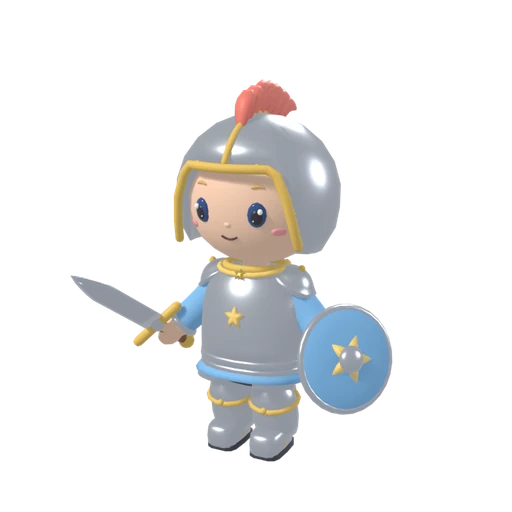
How to make a 3D character
- Pick a style, then start with a preset or press Random. Every preset is a complete character you can change piece by piece.
- Click a slot (head, hair, hat, top, bottom, shoes, back, hands, face) and pick a part. The body sets the shape: classic, chubby or slim. All clothes adapt to it.
- Open the colors: skin, hair and eyes apply to the whole character, every part has its own main, second, accent and metal color. Use the palette or any color you like.
- Try the animations on the stage, then download the GLB with the clips you want, save a PNG or copy the share link.
What you get
- One clean GLB
- One skinned mesh with one skeleton, one material per color, the clips you selected, meters, Y up, pivot between the feet.
- Smart combinations
- Helmets hide the hair, hats switch to a flat hairstyle, a robe replaces trousers and beards disappear under a closed helmet. Clothes follow the body shape.
- Share and undo
- Undo and redo every step. The share link stores style, parts, colors and body shape in the address, nothing is uploaded.
The rig
Every style uses the same 19 bones with the same names and hierarchy in an A pose, only the proportions differ. The clips were made for this rig and play in place at 30 frames per second.
- Bones (19)
- hips, spine, chest, neck, head, shoulder.L, upperArm.L, lowerArm.L, hand.L, shoulder.R, upperArm.R, lowerArm.R, hand.R, upperLeg.L, lowerLeg.L, foot.L, upperLeg.R, lowerLeg.R, foot.R
- Clips (5)
- idle 2.00 s loop, walk 1.00 s loop, run 0.67 s loop, wave 1.60 s, jump 1.10 s
Looking for a Ready Player Me alternative?
Ready Player Me ended its public services on January 31, 2026. The Character Mixer is not a drop in replacement, there is no SDK and no photo to avatar, but it gives you free, rigged characters as GLB or VRM files under CC0. Our comparison shows what it can and cannot do.
Ready Player Me alternative: the comparisonInput and output: a preset and a library character
The mixer builds characters from its own modular parts. When you need a detailed, realistic figure instead, the library has rigged characters, too.
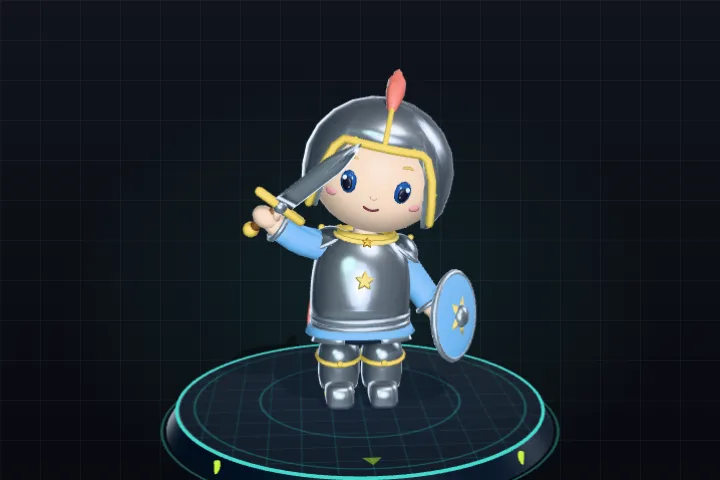
Preset from the mixer
- Input
- A preset such as the knight in the Cozy style, then your own parts, body shape and colours.
- Output
- One rigged GLB with the clips you pick, or a VRM file without animations for avatar apps. CC0, like the rest of the library.
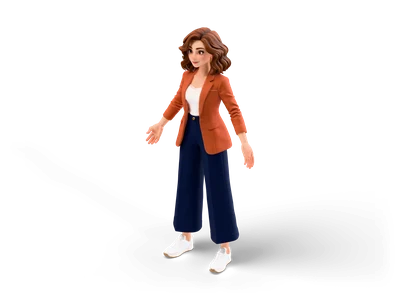
Casual Woman
- Input
- Casual Woman: a High Detail character from the library, not built from mixer parts.
- Output
- A rigged download with a humanoid skeleton and the clips walk and run, as FBX, GLB and .blend on the model page.
What it does not do
- The parts come from the mixer itself. To rig your own model, use the Auto Rig.
- The GLB keeps the mixer bone names in an A pose. For a Unity Humanoid avatar, use the VRM export.
Frequently asked questions
Is the character creator free, and can I use my character commercially?
Yes. The tool is free, needs no account and runs completely in your browser. Every character you export is released under CC0 1.0 (public domain): use it in commercial games, videos and prototypes, change it freely, no attribution required.
Which game engines and programs can open the character?
The download is a standard GLB (glTF 2.0) file with a skeleton and animations. Blender, Godot 4 and three.js open it directly. Unreal Engine 5 imports it with its glTF importer, Unity with a glTF package such as glTFast or UnityGLTF.
How is the character rigged?
Every character has one skeleton with 19 bones: hips, spine, chest, neck, head, both shoulders, upper arms, lower arms, hands, upper legs, lower legs and feet. All parts are skinned to it, so clothes and items move with the body.
Which animations are included? Is it a Mixamo rig?
The GLB contains our own clips (Idle, Walk, Run, Wave, and Jump), made for this rig. It is not a Mixamo rig and the bone names do not follow the Mixamo standard, so Mixamo animations need retargeting in Blender or in your engine. The clips play in place, so your game code moves the character.
How many polygons does a character have?
The parts are built so that even the heaviest combination stays below 20,000 triangles. The exact count of your character is shown under the export button.
Why does the hair change when I put on a hat?
Hats use a flatter version of the chosen hairstyle so nothing pokes through. Helmets hide the hair completely, closed helmets also hide beards, and long robes replace the trousers. When you take the hat off, your hairstyle comes back.
Can I come back to my character later?
Yes. Copy the share link: it stores the style, all parts, colors and body shape. Opening the link rebuilds exactly the same character. The mixer also remembers your last character in this browser.
Can I export the character as a VRM avatar?
Yes. Choose VRM 1.0 or VRM 0.x in the export panel. The file contains the character in T pose with a humanoid mapping of all 19 bones, CC0 license fields and a thumbnail, without animations. It opens in three-vrm, UniVRM for Unity, the VRM Add-on for Blender and VTuber apps with VRM support. The characters have no facial blend shapes, so there is no lip sync and no face tracking.
Does the character work with Unity Humanoid?
Use the VRM file with UniVRM: it builds a Unity Humanoid avatar from the bone mapping in the file, so Mecanim animations can be retargeted. The GLB keeps our own bone names in an A pose, glTF importers for Unity bring it in as a generic rig.
Everything you create here is CC0: use it freely in commercial projects, no attribution required. About the license
Browse free 3D models Sprite Sheet Generator Turntable Renderer 3D Viewer All tools