// 13 browser tools

Free 3D tools that run in your browser

No upload, no account.

Inspect, build, render, recolor and optimize 3D models for your game. Every tool works on your device and exports ordinary files like GLB, PNG and MP4.

13
free tools
9
formats in the viewer
2,565
CC0 models to start with

01 1 tool

Build scenes

Put library models together into dioramas, level blockouts and mockups.

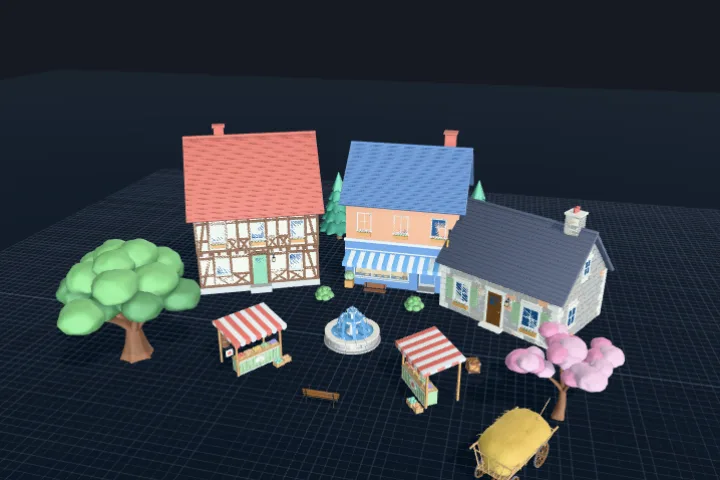
Kit Builder: a village square is built piece by piece from library models

Grid snap · Share link · GLB · PNG

Kit Builder

Place CC0 library models on a grid or freely, stack and rotate them and share the scene as a link. Export everything as one GLB or save a PNG.

  • Grid snapping or free placement
  • Stack, rotate and scale with a gizmo and undo
  • Share link and one-file GLB export
02 3 tools

Texture & optimize

Change colours, make texture maps and shrink files for the web and mobile.

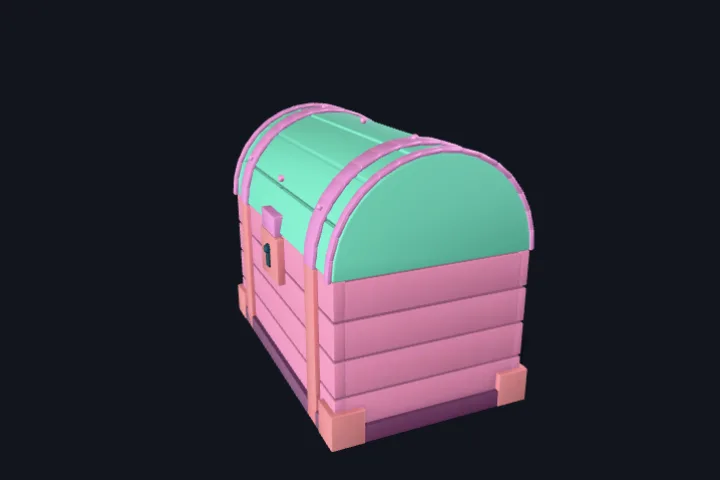
Recolor Studio: a treasure chest switches between colour variants

Materials · Texture · Palette · GLB

Recolor Studio

Change material colours, shift texture colours with a pipette or map a whole model to a palette like PICO-8. Compare before and after, then export GLB, PNG or the new texture.

Open this example

GLB · Draco · Meshopt · LOD ZIP

GLB Optimizer

Simplify meshes, resize textures to WebP or JPEG and add Meshopt or Draco compression. Before and after sit side by side in 3D, and a whole LOD chain exports as ZIP.

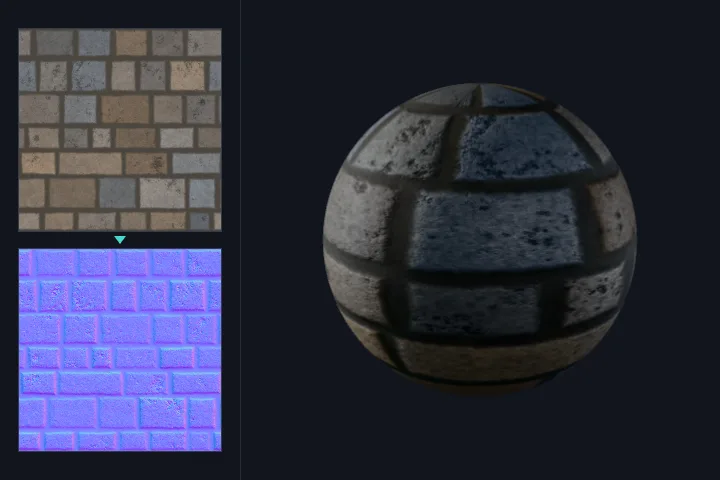
Normal Map Generator: a stone wall photo becomes a normal map on a lit sphere

PNG · 16-bit height · ZIP

Normal Map Generator

Turn a photo or texture into normal, height, AO, roughness and specular maps and check them on a lit 3D preview. Seamless option and PNG export up to 4K, height also in 16 bit.

03 2 tools

Create

Make new low poly models from scratch, no 3D software needed.

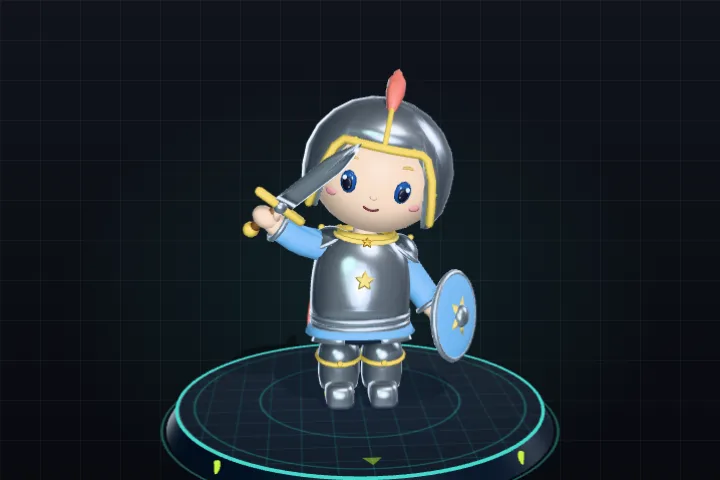
Character Mixer: a cozy knight, a blocky miner and a low poly mage pop onto the podium and wave, walk and jump

Rigged GLB · VRM · 3 styles

Character Mixer

Mix a rigged, animated character from 198 modular parts in 3 styles, pick body shape and colors, then export one GLB with the clips you choose, a VRM avatar file or a share link.

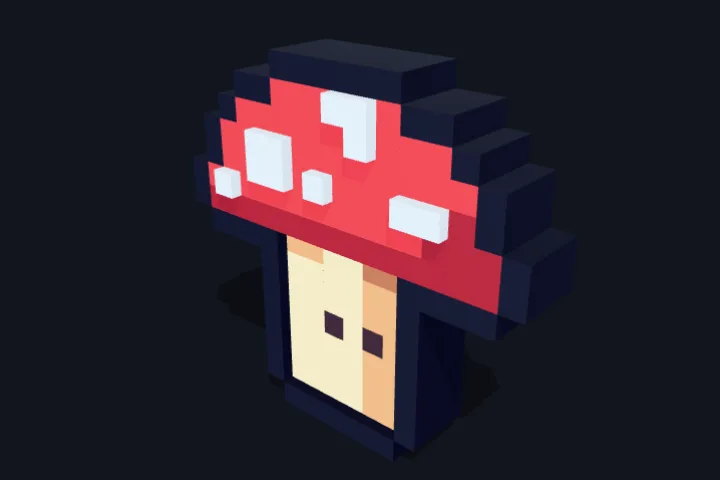
Draw to 3D: a pixel mushroom is drawn, tilts into 3D and changes from voxel to rounded to inflated

Image import · GLB · OBJ · STL

Draw to 3D

Draw pixel art or import an image and turn it into a voxel, rounded or inflated 3D model live. Export GLB, OBJ or a watertight STL for 3D printing.

Open this example

04 2 tools

Rig & animate

Give your own characters a skeleton and bring them to life with free animations.

3D Pose Maker

PNG · GLB · OBJ · STL · CC0

3D Pose Maker

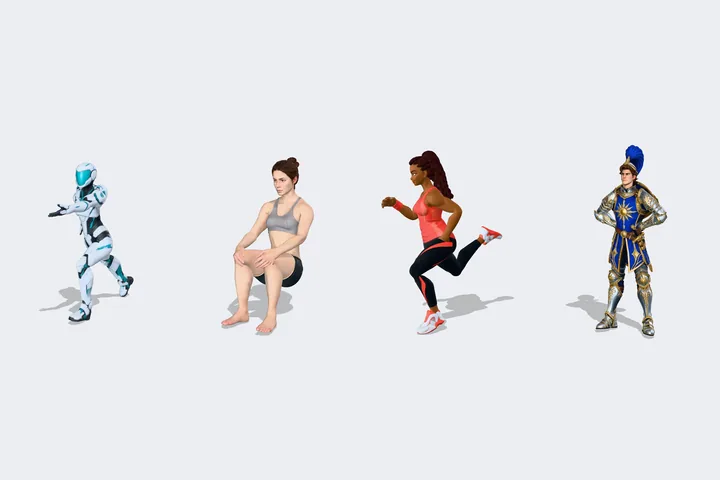
Pick one of 18 ready poses or bend every joint of 59 rigged library characters, with joint limits, mirror and IK for hands and feet. Download a PNG drawing reference, GLB, an OBJ ZIP for Delightex or an STL for Tinkercad and 3D printing.

Open this example
Auto-Rig Studio: a rigged character walks with its new skeleton shown on top

Auto rig · Skin weights · GLB · FBX

Auto-Rig Studio

Drop a humanoid GLB, FBX or OBJ: markers, skeleton and skin weights are set up automatically and can be adjusted with markers and a weight brush. Try 7 CC0 animations and download a rigged GLB or FBX. No account, nothing is uploaded.

  • Automatic markers, adjustable with symmetry
  • Skin weights through the volume, weight brush
  • CC0 animations, GLB and FBX export
Open this example

05 2 tools

Inspect & convert

Open any model and see what is inside before it goes into your engine.

GLB · FBX · OBJ · STL · USDZ

3D Viewer

Drop a GLB, glTF, FBX, OBJ, STL, PLY, 3MF, DAE or USDZ file and inspect texture channels, UVs, normals, wireframe, skeleton and animations. The file is read in your browser and never uploaded.

  • Opens 9 formats, also from a folder or ZIP
  • Texture channels, UV checker, normals, wireframe
  • Skeleton, animations, real size and pivot
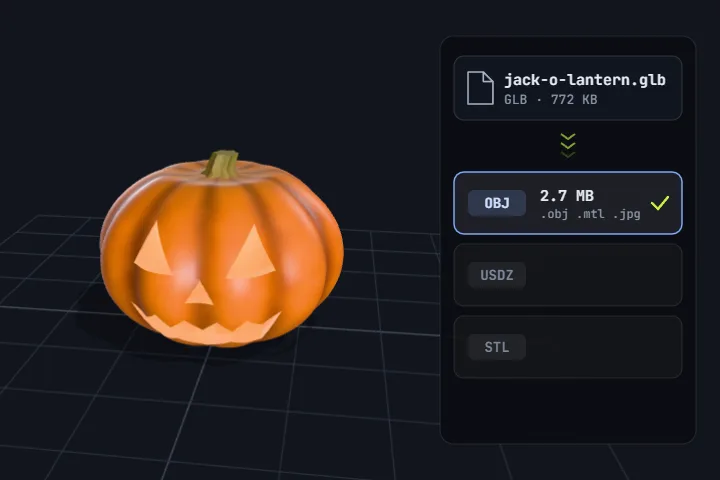
3D Converter: a jack-o-lantern GLB is converted to OBJ, USDZ and STL, each result shown in 3D with its file size

GLB · OBJ · STL · USDZ · batch

3D Converter

Convert GLB, glTF, FBX, OBJ, STL, PLY, 3MF and DAE into GLB, glTF, OBJ, STL, PLY or USDZ, one file or a whole batch. Textures stay, units and up axis can be fixed on the way. Everything runs on your device.

06 3 tools

Render & export

Turn 3D models into videos, GIFs and sprite sheets for store pages and 2D games, and cut sheets back into single frames.

Turntable Renderer: a rigged wizard walks while the camera circles him

MP4 · WebM · GIF · PNG

Turntable Renderer

Render a library model or your own GLB as a seamless spinning loop, and rigged characters can play a clip while they turn. Export MP4, WebM with alpha, GIF or a PNG sequence.

  • Seamless loop, rendered frame by frame
  • Transparent background in WebM and PNG
  • Presets for itch.io, Instagram and Stories
Open this example
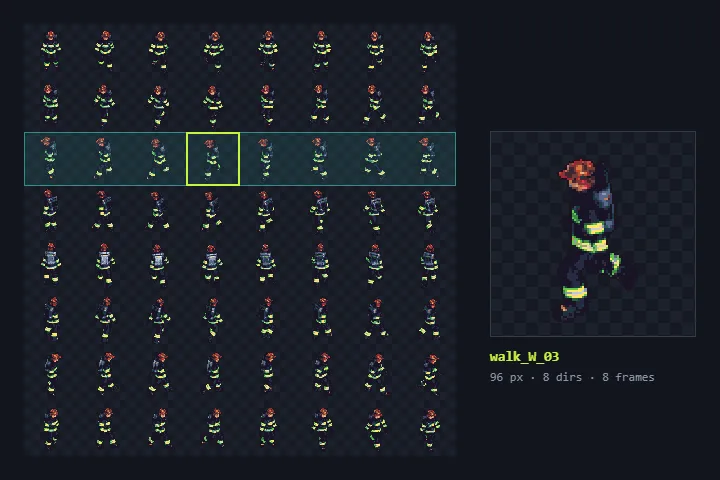
Sprite Sheet Generator: an 8 direction walk cycle of a firefighter in pixel art

PNG · JSON · Aseprite · Godot

Sprite Sheet Generator

Render a model or a rigged walk and run cycle from up to 16 directions into one sheet, with pixel art mode, palettes and outline. Exports PNG plus JSON for Aseprite and TexturePacker and a Godot SpriteFrames file.

  • 1 to 16 directions with fixed framing
  • Pixel art mode with palettes and outline
  • PNG, JSON, Aseprite and Godot export
Open this example
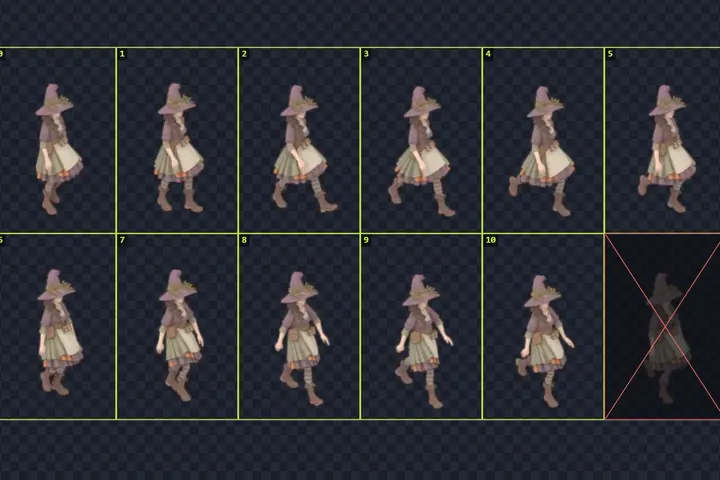
Sprite Sheet Cutter: a walk cycle sheet cut into a 6 by 2 grid with frame list and animation preview

Grid · Auto-detect · PNG ZIP · GIF

Sprite Sheet Cutter

Cut a sprite sheet into single PNG frames by grid with offset and spacing, or auto-detect irregular sprites. Trim, remove the background colour and download a ZIP with JSON, or the animation as GIF.

Open this example

Why these tools are different

  • Runs on your deviceFiles are read and processed in your browser. Nothing is uploaded.
  • No accountNo sign-up, no login, no email address.
  • CC0 with library modelsWhat you make from Grab3D models stays CC0. Use it in commercial games.
  • Free, no watermarkEvery tool and every export, without limits.

Workflow

How the tools work together

There is no shared project file. Tools hand models over by link or as an ordinary GLB, so every step also works on its own.

  1. Every model page has a Recolor button that opens the model straight in Recolor Studio.

  2. Open a library model in the 3D Viewer and send it to the Turntable Renderer or the Sprite Sheet Generator with one click.

  3. Export a scene as one GLB and drop it into the Turntable Renderer for a spinning showcase.

  4. Shrink a file in the GLB Optimizer, download it and check the result in the 3D Viewer.

  5. Models you make in Draw to 3D or the Character Mixer export as GLB, ready for the Sprite Sheet Generator or the Turntable Renderer.

FAQ

Frequently asked questions

Are the Grab3D tools really free?

Yes. Every tool is free to use with no account, no usage limit and no watermark. Anything you export is yours, including for commercial games.

Are my files uploaded anywhere?

No. Files you open are read and processed on your device with WebGL. Library models are loaded from Grab3D, your own files never leave your browser.

Do I need to install anything or sign up?

No. The tools run in any current desktop browser with WebGL. There is no account and no login.

Which formats can I open and export?

The 3D Viewer opens GLB, glTF, FBX, OBJ, STL, PLY, 3MF, DAE, USDZ. Depending on the tool you export GLB or OBJ for Unity, Unreal, Godot and Blender, PNG and JSON for sprites, MP4, WebM and GIF for videos, and ZIP archives for batches.

Can I use the results in a commercial project?

Yes. The Grab3D library is CC0 (public domain), so results made from library models need no attribution and carry no restrictions. Work you create yourself belongs to you.

Is there a free alternative to Ready Player Me?

Ready Player Me ended its public services on January 31, 2026. The Character Mixer is one free option for stylized 3D characters: build one in the browser and download a rigged GLB with animations or a VRM avatar file, CC0. It is not a drop in replacement, there is no SDK, no API and no photo to avatar.

Which tool should I start with?

Use the Kit Builder to build a scene, Recolor Studio to make a model your own, the Character Mixer to create a new character and Auto-Rig Studio to rig and animate your own figure. To check a file, open it in the 3D Viewer.

Need models to start with?

Most tools load models straight from the Grab3D library: 2,565 models, CC0, no attribution required.

Browse models
Download

Your download is starting …

Every model on Grab3D is free and will always stay free. No sign-up, no catch.

If Grab3D helps your project, a small donation keeps new models coming every week.