How to Import glTF Models into Unity (2026 Guide)
July 1, 2026 · 3 min read · Written by the Grab3D team (About us)
Unity has no glTF importer built into the editor. But with the right (free) package, GLB files import as cleanly as FBX. (In a hurry? Every Grab3D model also comes as an FBX, which Unity imports natively.) Here is the glTF setup we recommend.
Step 1: Install a glTF package
There are two good, free options:
- glTFast: Unity’s own glTF package. In Window → Package Manager, click +, choose Add package by name and enter
com.unity.cloud.gltfast. - UnityGLTF: the Khronos Group’s importer/exporter. Click +, choose Add package from git URL and paste:
https://github.com/KhronosGroup/UnityGLTF.gitCheck the package’s documentation for the Unity versions it supports. After installation, .glb and .gltf files behave like any other asset: drag them into your Assets/ folder and Unity imports them as a prefab-like model asset.
Our GLB downloads use no Draco mesh compression, including High Detail models and rigged characters, so the glTF package alone is enough. Only the 3D preview on our website uses Draco. You need Unity’s Draco package (Add package by name → com.unity.cloud.draco) only for Draco-compressed GLBs from other sources, or for copies you compress yourself.
Step 2: Check scale and orientation
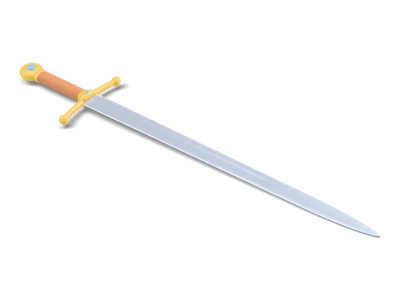
glTF uses meters with Y-up, the same convention as Unity, which is why our downloads work without any rotation fixes. Our iron sword is 0.9 m long and arrives in Unity 0.9 units long. If you use the FBX instead and a model looks off by a factor, check the Scale Factor and Convert Units settings in the Model tab of the import settings.
Step 3: Materials and textures
Grab3D models use regular PBR textures (base color, roughness, metallic and normal maps) embedded in the GLB. The glTF package builds materials from them automatically. Two things to check:
- Normal maps: if a surface looks oddly lit (common with extracted FBX textures), select the normal texture and make sure its Texture Type is
Normal map. - Palette textures: our true low poly models color themselves from a tiny palette texture. If colors bleed at the edges, set that texture’s Filter Mode to
Point (no filter)and disable mip maps.
Common problems, quick fixes
Pink or invisible material: the material’s shader doesn’t match your render pipeline (Built-in, URP or HDRP), often after switching pipelines. Make sure the glTF package supports your pipeline and reassign a compatible shader if needed.
Mesh missing, errors about Draco: the file is a Draco-compressed GLB (not one of our downloads, or a copy you compressed yourself) and the Draco package isn’t installed. Add com.unity.cloud.draco or use the uncompressed original.
Wrong pivot point: Grab3D models have their pivot at the base center, so they sit naturally on the ground. If you need a different pivot, parent the model under an empty GameObject.
glTF or FBX?
glTF is an open standard, carries PBR materials without guesswork and needs no proprietary SDK. The Khronos Group calls it “the JPEG of 3D”, and Godot, Blender and every modern web viewer read it too, so one file works across your whole toolchain. FBX needs no extra package in Unity and is the veteran for rigs and animation, but it is the bigger download, especially for High Detail models (see our file-size measurements). You don’t have to choose up front: every Grab3D model comes as GLB and FBX (plus .blend, USDZ and OBJ), and rigged characters carry their walk and run clips in both. For a rigged character, the rigged character guide shows the Humanoid setup step by step.
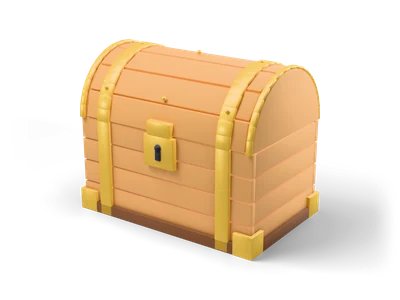
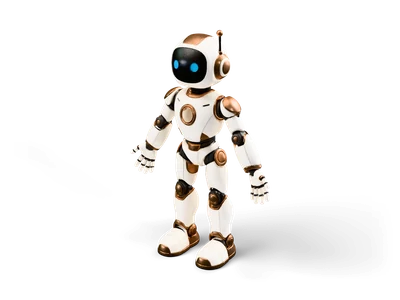
Grab a free chest, sword or robot and try the setup. The whole flow takes less than five minutes.