Lightweight
The 3D preview could not be loaded.
The inspector shows the compressed web preview. Downloads contain the full-resolution textures.
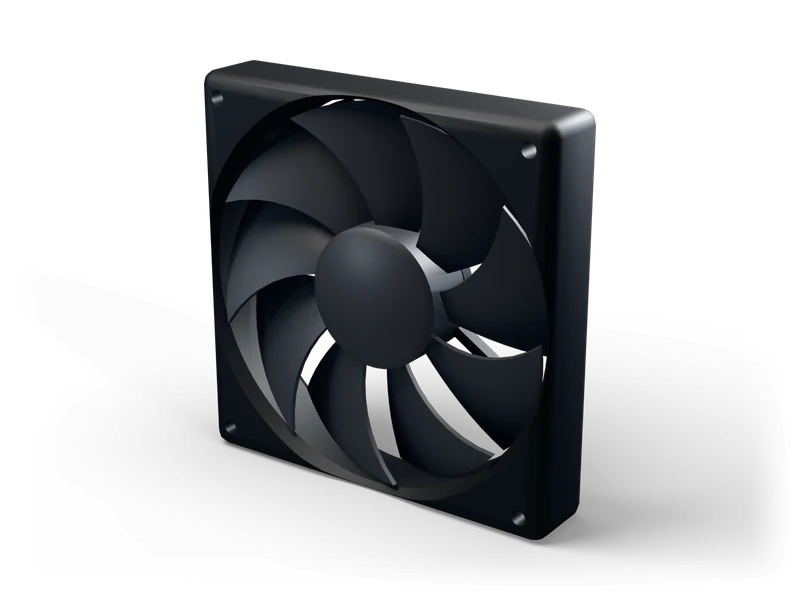
Realistic black PC case fan in the common one hundred twenty millimetre size, with curved blades, mounting holes and a separate rotor that spins on its axle.
Free under CC0 for personal and commercial use, no attribution. Download without login as GLB, FBX, BLEND, USDZ or OBJ. Lightweight with 5,956 triangles.
CC0: no login, no attribution CC0 1.0
The tools run in your browser and load the web preview of this model. For the full quality files, use the downloads above.
A standard case fan as you would find it in almost any desktop computer. The square black frame has rounded outer edges and a mounting hole in each corner, spaced like the real part, and the true one hundred twenty millimetre footprint makes it drop straight into a scaled PC build. Inside, a set of curved, overlapping blades surrounds a smooth central hub. The rotor is a separate object pivoted on the axle, so it can spin at any speed you like. The matte black finish is plain and neutral, which lets it fit into a clean workstation, a messy repair bench or a sci-fi machine alike. It is light and ready for real-time use. Use several of them inside a case, on a radiator or in a ventilation shaft. Tip: tint the frame or add an emissive ring if your scene needs a glowing gaming look.
Import the GLB with the glTFast package or use the FBX. 1 m in the file = 1 Unity unit.
Use the FBX. The model is built in metres. Unreal works in centimetres and converts on import, so it arrives at real size (0.12 m = 12 cm).
Drag the GLB into the FileSystem dock. Godot 4 imports it directly, with materials. The FBX works too (Godot 4.3+ imports it natively).
Open the .blend directly, or import the GLB via File › Import › glTF 2.0.
Explore