Convert GLB to OBJ online
OBJ is supported by nearly every 3D program, but it has no binary container. The converter writes the .obj geometry, a .mtl material file and every texture as a separate image, and packs everything into one ZIP.
Your files never leave your device
Drop a file to see it here.
How it works
- Drop a GLB or a glTF with its files.
- Choose the unit and up axis your program expects. For Blender and most engines that is metres and Y-up.
- Convert, download the ZIP and unpack it into one folder before you import the OBJ.
What is kept and what to watch
- Base color, roughness, metalness, normal and emissive maps are written with the PBR extension of MTL (map_Pr, map_Pm, norm), which Blender reads. Programs that only know classic MTL use the base color.
- Packed roughness and metalness textures are split into two greyscale images. Ambient occlusion has no MTL slot and is left out.
- OBJ has no skeleton or animation. Rigged models are written in their rest pose as static meshes.
Input and output: examples from the library
Two library models show what the GLB to OBJ converter writes, one textured prop and one rigged character.
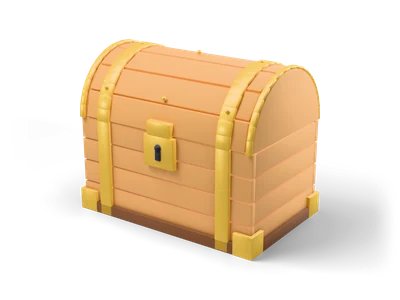
Treasure Chest
- Input
- Treasure Chest: a GLB with base color, roughness, metallic and normal maps.
- Output
- A ZIP with the .obj, a .mtl that names the PBR maps (map_Pr, map_Pm, norm) and every texture as a separate image.
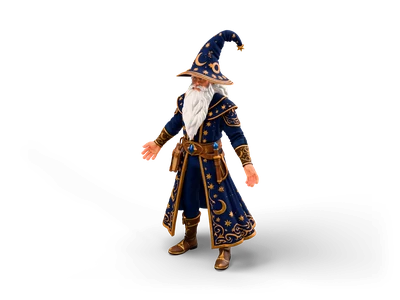
Wizard
- Input
- Wizard: the link loads the rigged version with a skeleton and the clips walk and run.
- Output
- A static OBJ of the character in its rest pose. OBJ cannot store bones or animation, so keep the GLB or FBX for anything that moves.
What it does not do
- Library models that offer an OBJ list a ready OBJ ZIP on their model page. The converter is for your own GLB files or for another unit and up axis.
- Ambient occlusion has no slot in MTL and is left out. Programs that only know classic MTL use the base color.
- The library links use the web preview, which can be lighter than the download.
Other conversions
Frequently asked questions
Why is my OBJ white in Blender?
The texture images must be in the same folder as the .mtl file. Unpack the whole ZIP into one folder and import the .obj from there.
Does the OBJ keep separate parts?
Yes. Every mesh becomes its own object with its name, and every material its own entry in the MTL file.
Which unit does the OBJ use?
The unit you choose. OBJ files store plain numbers, so the program that imports them assumes its own default. Metres fit Blender and most engines.