Convert FBX to GLB online
FBX is the exchange format of many 3D programs, GLB is the format of the web and of modern engines. The converter reads binary and ASCII FBX from version 7 on with its textures and writes one GLB, including the skeleton and the animation clips.
Your files never leave your device
Drop a file to see it here.
How it works
- Drop the .fbx file. If the textures are not embedded, add the image files or use a ZIP.
- The FBX unit scale is read automatically. Check the dimensions in the info panel and correct the source unit if the model is too big or too small.
- Convert and download the GLB. Open it in the 3D Viewer to check the animations.
What is kept and what to watch
- FBX Phong and Lambert materials are approximated as PBR (roughness from shininess, metalness 0). Check glossy or metal parts afterwards.
- FBX files older than version 7 (FBX 2011) cannot be read. Export them again from the original program.
- Roughness and metalness maps that Blender writes into FBX as shininess and reflection maps are not read. Cameras and lights are not exported. The GLB downloads in the Grab3D library keep all PBR maps.
Input and output: examples from the library
Two FBX files from the library show what the FBX to GLB converter keeps. The links load the real FBX downloads into this page, nothing is uploaded.
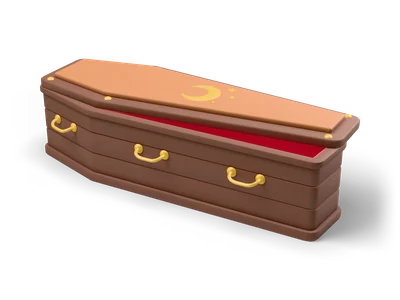
Coffin
- Input
- Coffin as FBX (1.8 MB) with embedded textures.
- Output
- One GLB with the textures packed in. The FBX materials become approximated PBR materials, so compare the result with the GLB download of the same model.

Casual Man
- Input
- The rigged FBX of Casual Man (19 MB) with a humanoid skeleton and the clips walk and run. A large file, loading takes a moment.
- Output
- A GLB with the skinned mesh, the skeleton and the animation clips. Open it in the 3D Viewer to play the clips before you use it.
What it does not do
- Roughness and metalness maps that some programs store in FBX as shininess or reflection maps are not read. The GLB downloads of the library keep all PBR maps.
- FBX files older than version 7 (FBX 2011) cannot be read. Export them again from the original program.
- There is no GLB to FBX direction: browsers cannot write clean FBX files.
Other conversions
Frequently asked questions
Are FBX animations kept in the GLB?
Yes. Skinned meshes, the skeleton and all animation clips three.js can read from the FBX are written to the GLB. Check the result in the 3D Viewer before you use it.
Why are my textures missing?
The FBX references textures that are not embedded. Drop the image files together with the FBX, or pack everything into one ZIP.
Can I convert GLB back to FBX here?
No. Browsers cannot write clean FBX files, so the converter does not offer it. Every model in the Grab3D library comes with a ready FBX download.